Copy Trading Guide
Copy trading lets you mirror a trader you trust. When they buy, you buy. When they sell, you sell the same proportion. You control the sizing, filters, and risk limits.
Open from the main menu → 🤖 Copy Trading, or run /copy.
Past performance does not guarantee future results. Start small, set daily caps, and use filters to manage exposure.
💡 Why copy trading?
Strategies encode your rules. Copy trading delegates the when and what to someone else — you only control the how much and under what conditions. It's built for when you've found a trader with edge and want to ride along without placing each trade manually.
🔍 Finding traders to follow
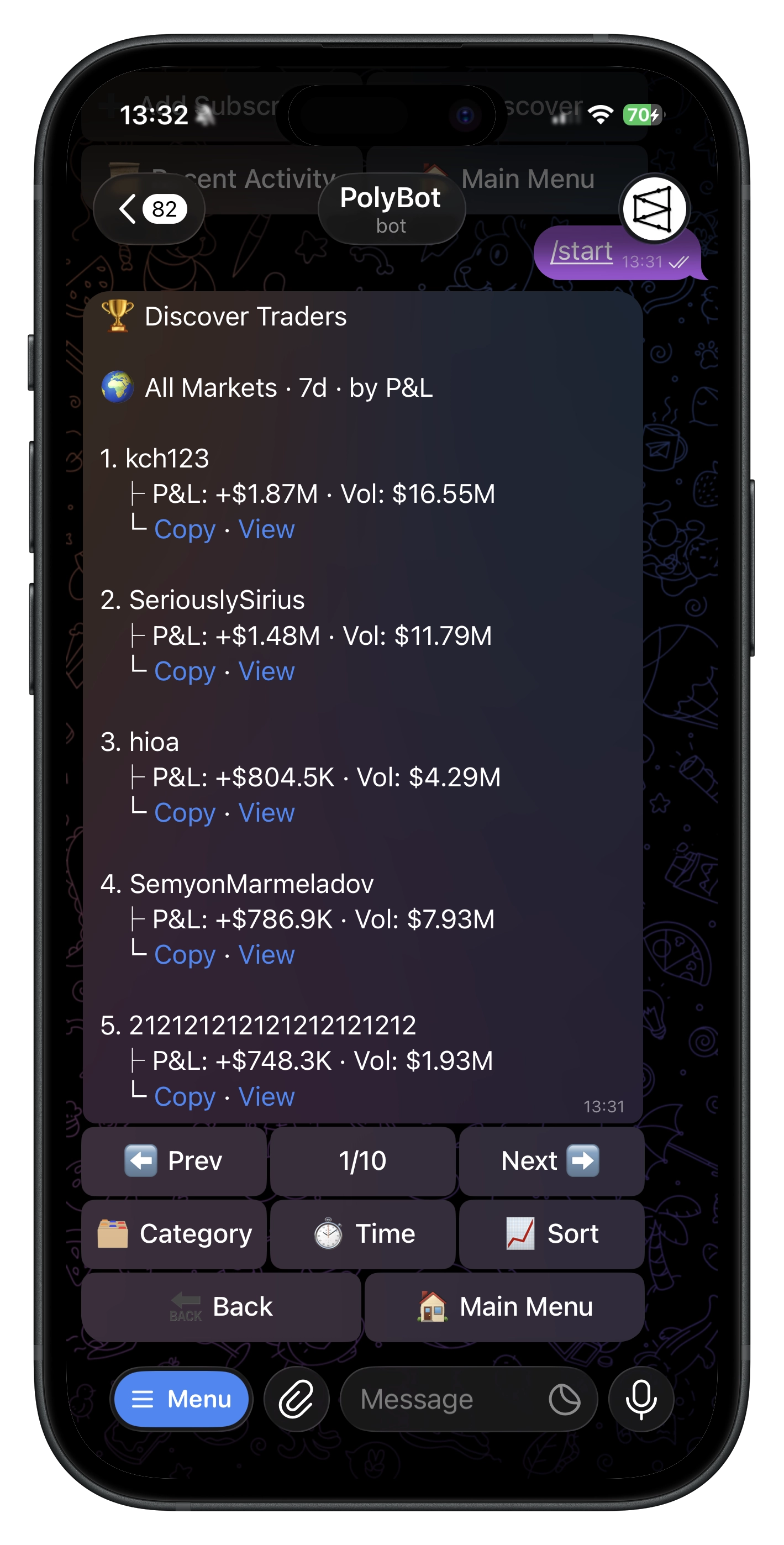
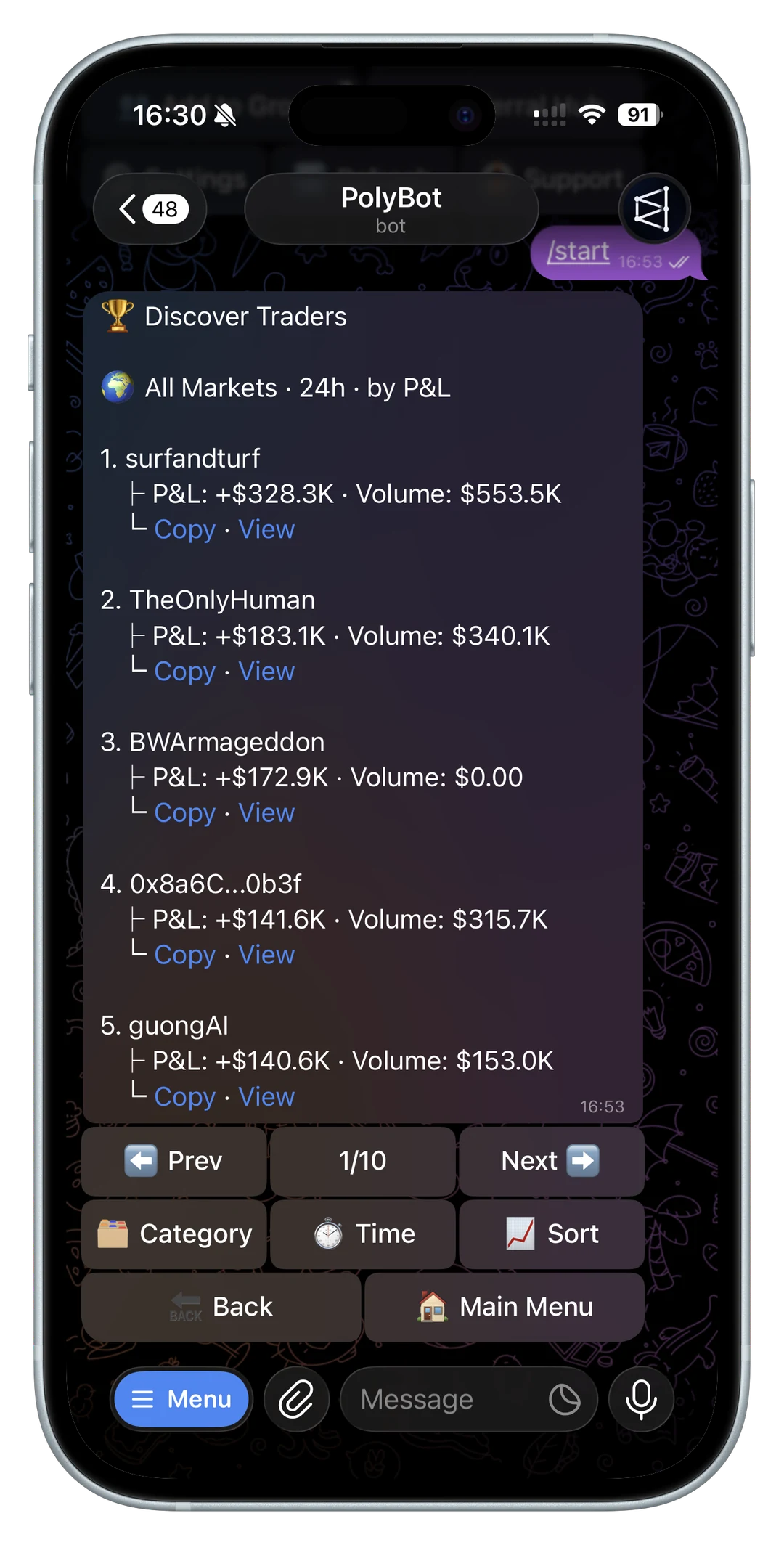
Leaderboard — Browse public traders ranked by profit or volume and filter by the time periods/categories currently offered. Go to 🤖 Copy Trading → 🔍 Discover Traders, or open All Tools → Discovery in the Mini App. See Smart Wallet Discovery.
Direct input — Go to 🤖 Copy Trading → ➕ Add and enter a wallet (0x...), Polymarket profile URL, or @username. PolyBot resolves profile inputs to the underlying wallet.
Group card — When someone pastes a Polymarket profile link in a group, tap 🤖 Copy Trader to start a subscription in DM.
⚙️ Setting up a subscription
A subscription is your configuration for following one trader. A PolyBot wallet can keep up to 3 active copy-trading subscriptions in total. Those slots can use different traders or different configurations, subject to the current validation rules.
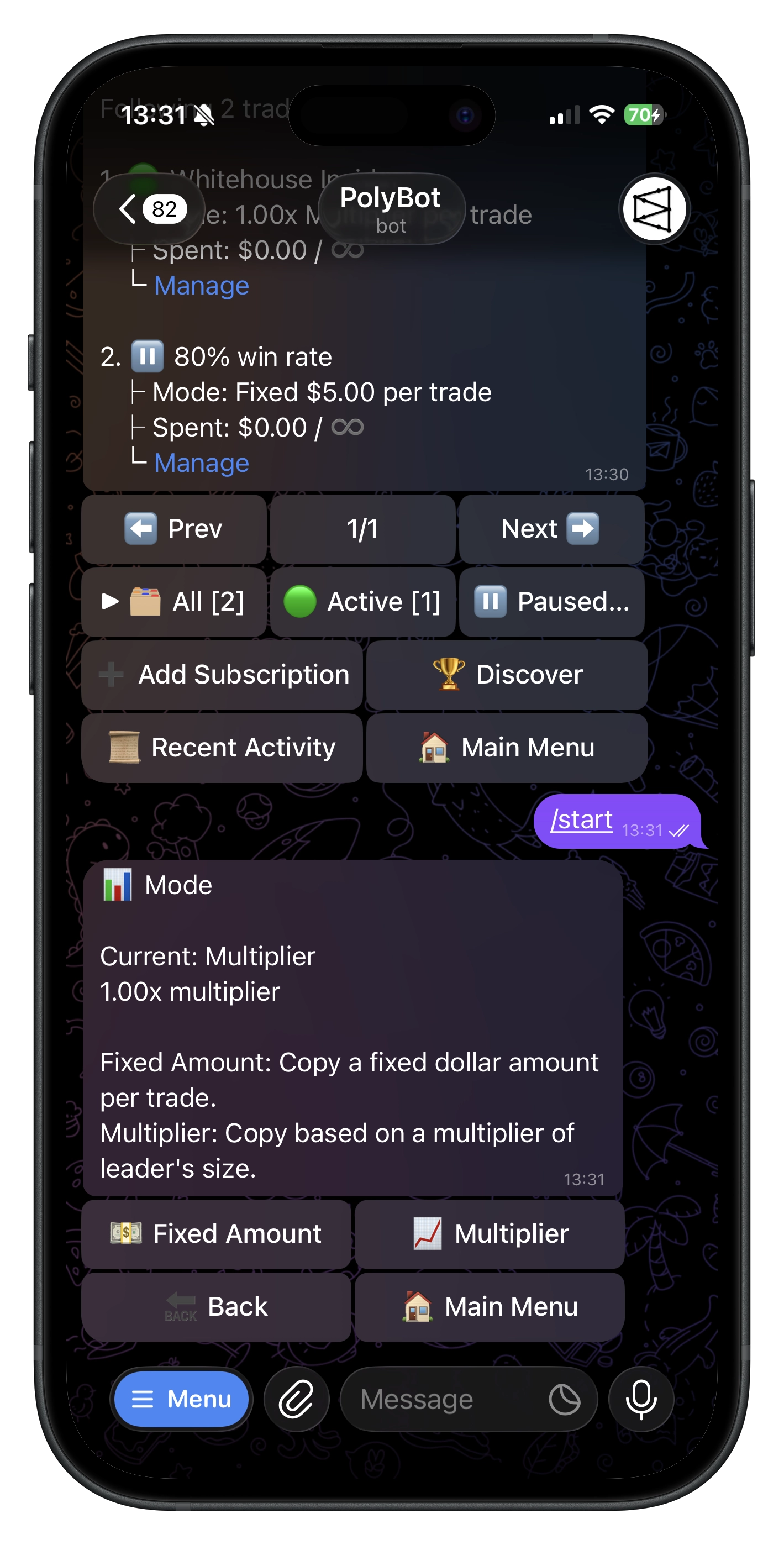
💰 Sizing mode
The most important choice. It determines how your amounts relate to the leader's.
Fixed — every copied trade uses the same dollar amount regardless of what the leader spent. You set $10, the leader buys $500 → you buy $10. Predictable and consistent.
Proportional — your amount = leader's amount × your multiplier. At 0.5x, a leader buying $500 means you buy $250. Scales with the leader's conviction.
- Fixed minimum: $1.10 | Proportional range: 0.01x to 10x
📊 Daily cap
Limits total spending per day on this subscription. Once hit, trades skip until next day. Important because a high-volume leader can fire dozens of trades — without a cap, proportional mode can consume more than intended.
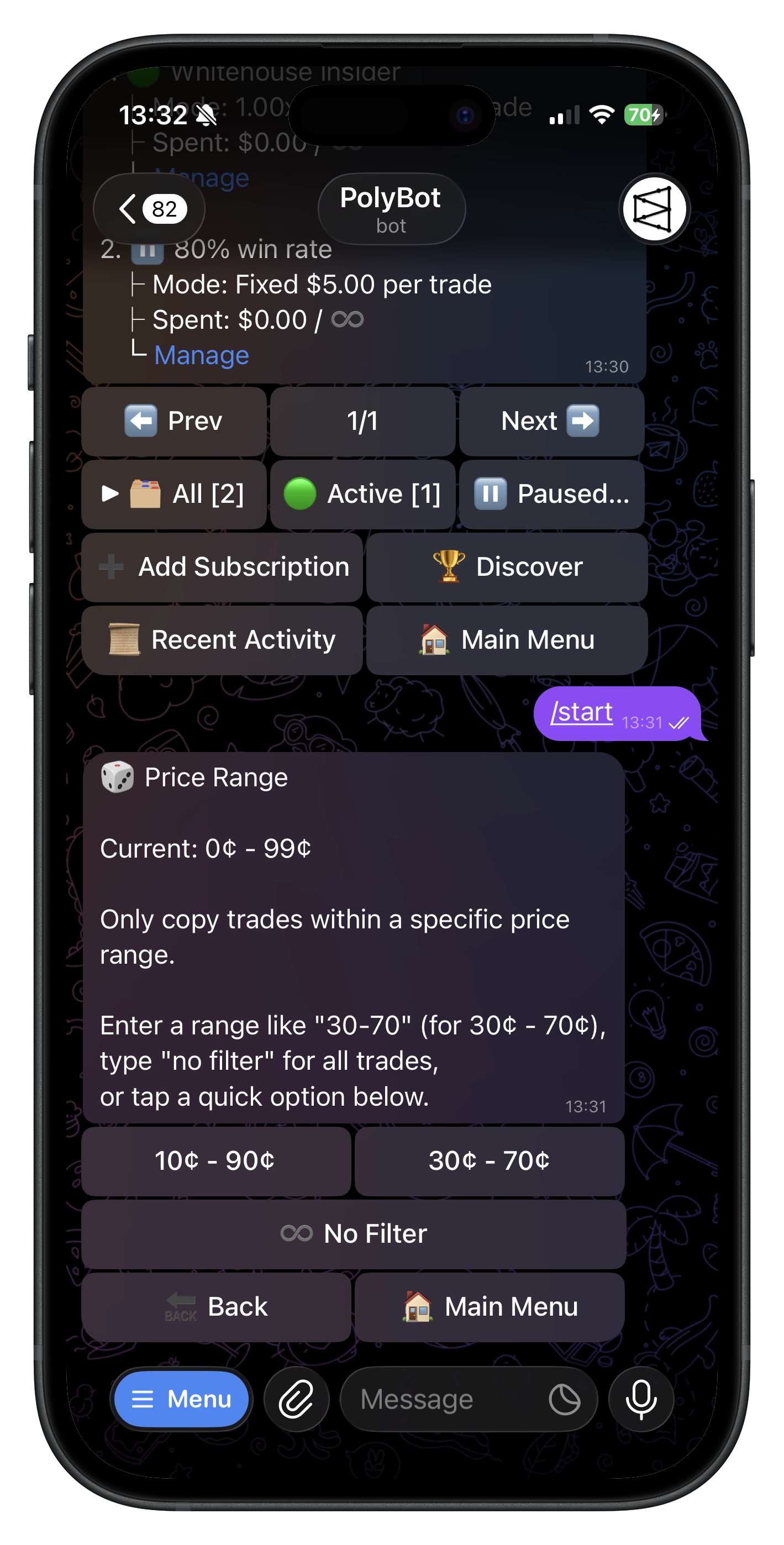
🎯 Price range filter
Not all prices carry equal risk. At 95¢ there's little upside; at 3¢ it's a long-shot gamble. The price range filter defines which outcome prices you'll copy (e.g., 20–80¢), keeping you in the mid-range where there's more room for edge.
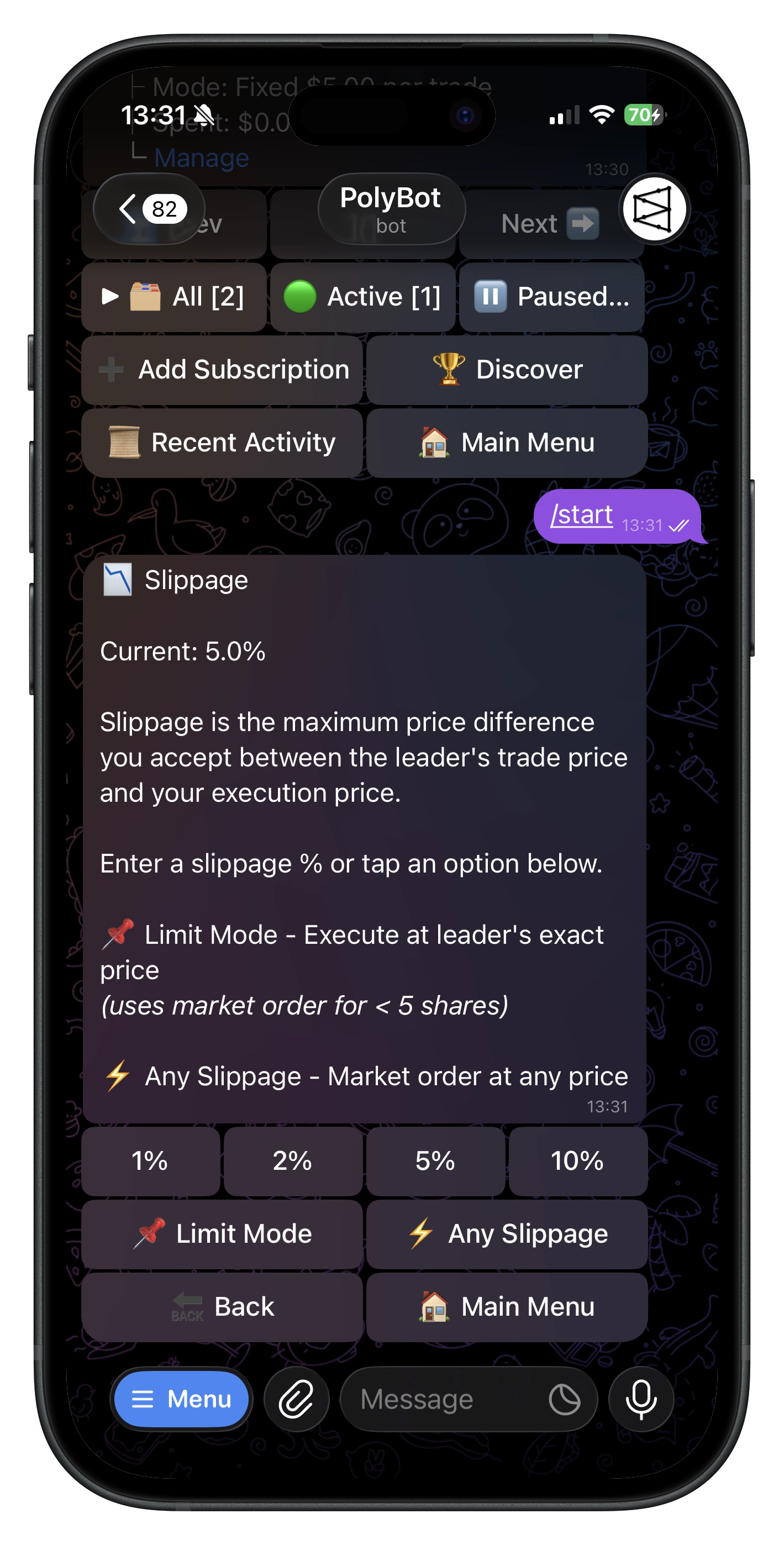
📉 Slippage tolerance
Slippage is the price difference between the leader's fill and yours. It happens because time passes between their trade and yours — the market moves, liquidity shifts.
Set your own slippage % to control how much drift you'll accept:
- Tighter (e.g., 0.5%) → better prices, but some trades won't fill if the market moved
- Looser → more reliable fills, potentially worse prices
- 0% → limit order at the leader's exact price (may not fill)
- Unlimited → removes the optional slippage ceiling; balance, liquidity, market status, and provider rules can still prevent a fill
For fast-moving crypto markets, slightly looser avoids excessive skips. For slower markets, tighter is fine.
⚙️ Execution mode
Choose how PolyBot places copied trades:
- Market — submit copied trades immediately using your slippage setting.
- Limit — place limit orders instead of crossing the spread.
Limit execution can be configured in two ways:
- Basic Limit Mode — one limit offset and duration for copied trades.
- Advanced per-side mode — separate buy and sell limit settings.
For limit orders, set the price offset, how long the order can stay open, and whether copied sells may fall back to market execution if the limit order does not fill.
📋 Managing subscriptions
Use /copy or /subs to see all subscriptions. Filter by All | Active | Paused.
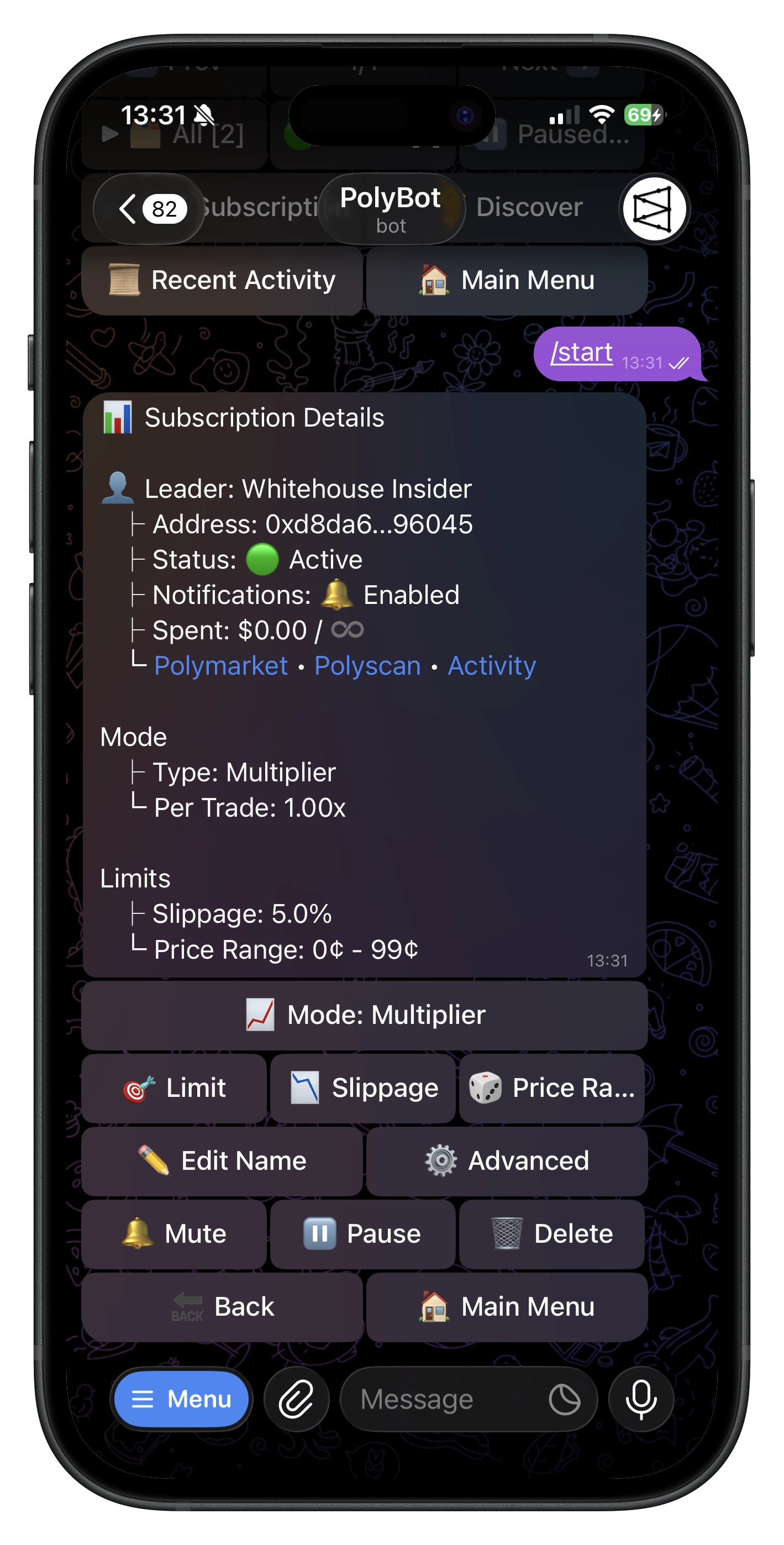
Tap any subscription for its full config: sizing, daily cap usage, price range, slippage, copy mode, and links to 👁️ Activity and 📊 Performance.
⏸️ Pause — stops copying without losing settings. Good for temporary breaks.
❌ Cancel — permanent. You'd need to create a new subscription from scratch. Use pause if you might come back.
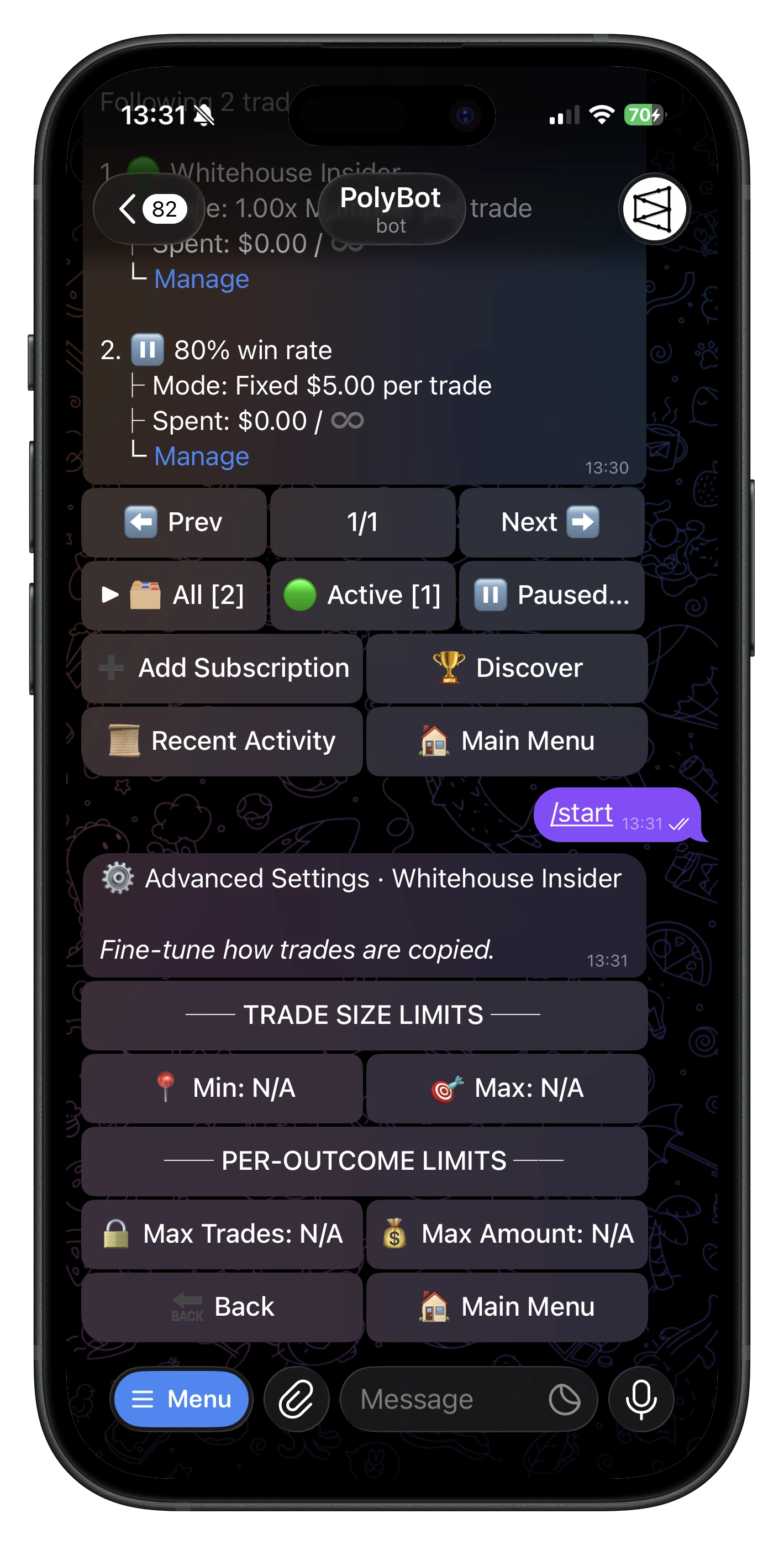
⚙️ Advanced settings
Access from subscription detail → Advanced ⚙️.
Trade size limits
Min per trade — rounds up small trades so you don't end up with tiny positions. Max per trade — caps large trades so one outsized leader bet doesn't blow your budget.
Per-outcome limits
Prevents overexposure to a single position (important when leaders average in aggressively):
- Single purchase per token — buy each outcome only once, must sell before buying again
- Max purchases per outcome — limit total buys (e.g., max 3)
- Max amount per outcome — limit total dollars (e.g., max $500)
🛡️ Risk controls
- Stop loss — auto-place a stop-loss on every copied position, protecting you even if the leader exits late
- Take profit — auto-place a take-profit exit after each copied buy
- Trailing stop — follow the best price after a copied buy and exit when it retraces by your configured trail
- Daily cap — same spending limit from setup, adjustable here
🎯 Market filters
- Max expiry — skip markets resolving too far out
- Leader min — ignore leader trades below a minimum size (likely tests or low-conviction plays)
- Leader max / Ignore trades over — skip outsized leader trades above your configured size
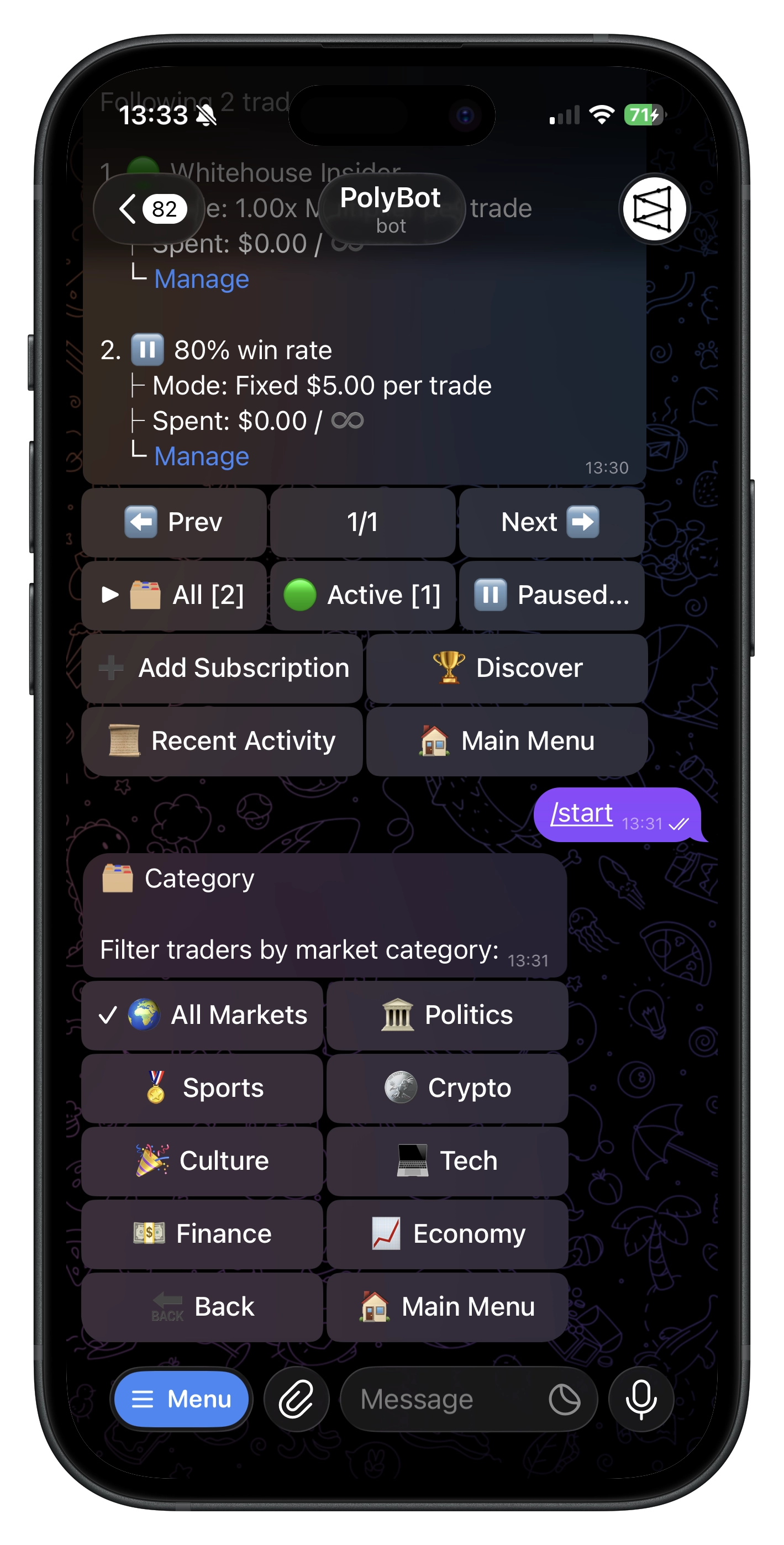
- Categories — whitelist or blacklist categories; Sports and Crypto have subcategory controls (e.g., only basketball, or block dogecoin)
🔄 Copy modes
- Counter trade — buy the opposite side. For fading a leader you think is consistently wrong.
- Buy only — copy buys, skip sells. You manage your own exits.
🔄 How sells work
PolyBot sells the same percentage, not the same dollar amount. Leader holds 100 shares, sells 50 (50%) → you hold 80 shares, PolyBot sells 40 (50% of yours).
In Buy Only mode, sells are skipped. In Counter Trade mode, the sell side is inverted.
🎯 Post-copy exits
Copy-trading risk controls can attach exits to each copied buy:
- Stop Loss — monitor a configured downside threshold and attempt an exit.
- Take Profit — set a percent gain target. PolyBot places the exit after the copied buy succeeds.
- Trailing Stop — set a trailing distance by percent or fixed cents. The stop follows the high-water mark and exits if the price retraces by that distance.
Use these when you want to copy a leader's entries but keep your own exit discipline.
⏭️ Skip reasons
Not every leader trade gets copied. Common skip reasons:
| Reason | Meaning |
|---|---|
| Daily limit reached | Hit your daily cap |
| Slippage too high | Price moved beyond tolerance |
| Price outside range | Outside your min/max filter |
| Insufficient balance | Not enough pUSD tradable balance |
| No shares to sell | Leader sold, you don't hold it |
| Purchase/amount limit | Hit per-outcome limits |
| Category filtered | Blocked by your category filters |
| Expiry too far | Exceeds max expiry setting |
| Leader trade below min | Leader's trade below your Leader Min |
| Leader trade above max | Leader's trade above your Leader Max / Ignore trades over setting |
A high skip rate usually means your filters are too tight for this leader's style — adjust accordingly.
📊 Activity & performance
👁️ Activity — last 3 days of trades (✅ executed, ⏭️ skipped, ❌ failed) with leader and your trade details.
📊 Performance — realized/unrealized PnL, positions, win/loss, win rate. Use 🧹 Reset Stats for a clean slate.
Use /recent for a cross-subscription view.
🔔 Notifications
Each copied trade triggers a notification with market, outcome, and fill details. Mute per subscription if it gets noisy — trades still execute.
💡 Tips
- Start small — low amounts while learning a leader's style
- Set daily caps — your circuit breaker for high-volume days
- Use price filters — avoid extreme prices (near 1¢ or 99¢)
- Use category filters — trust them on crypto but not sports? Filter it
- Monitor skip reasons — too many skips = misaligned config
- Use subscription slots deliberately — the wallet-wide active limit is three
- Review weekly — leaders' edge decays; adjust settings
Commands
| Command | What It Does |
|---|---|
/copy | Open copy trading menu |
/subs | Alias for /copy |
/recent | View recent copy trade activity |
Troubleshooting
- Trades not copying — check subscription is Active, balance is sufficient, daily cap not hit
- Too many skips — loosen slippage, widen price range, or raise caps
- Wrong amounts — in Proportional mode, amount = leader's size × multiplier
- Sells not executing — you must hold the position
- No notifications — check if muted for this subscription
- Cannot add another trader — you may already have three active subscriptions; pause/cancel only after reviewing the existing setup